
IBPS SO Application Process 2026
IBPS SO Apply Online 2026: Registration Steps
Apply for IBPS SO 2026 online. Check registration steps, fee, documents, direct link, and complete application process.
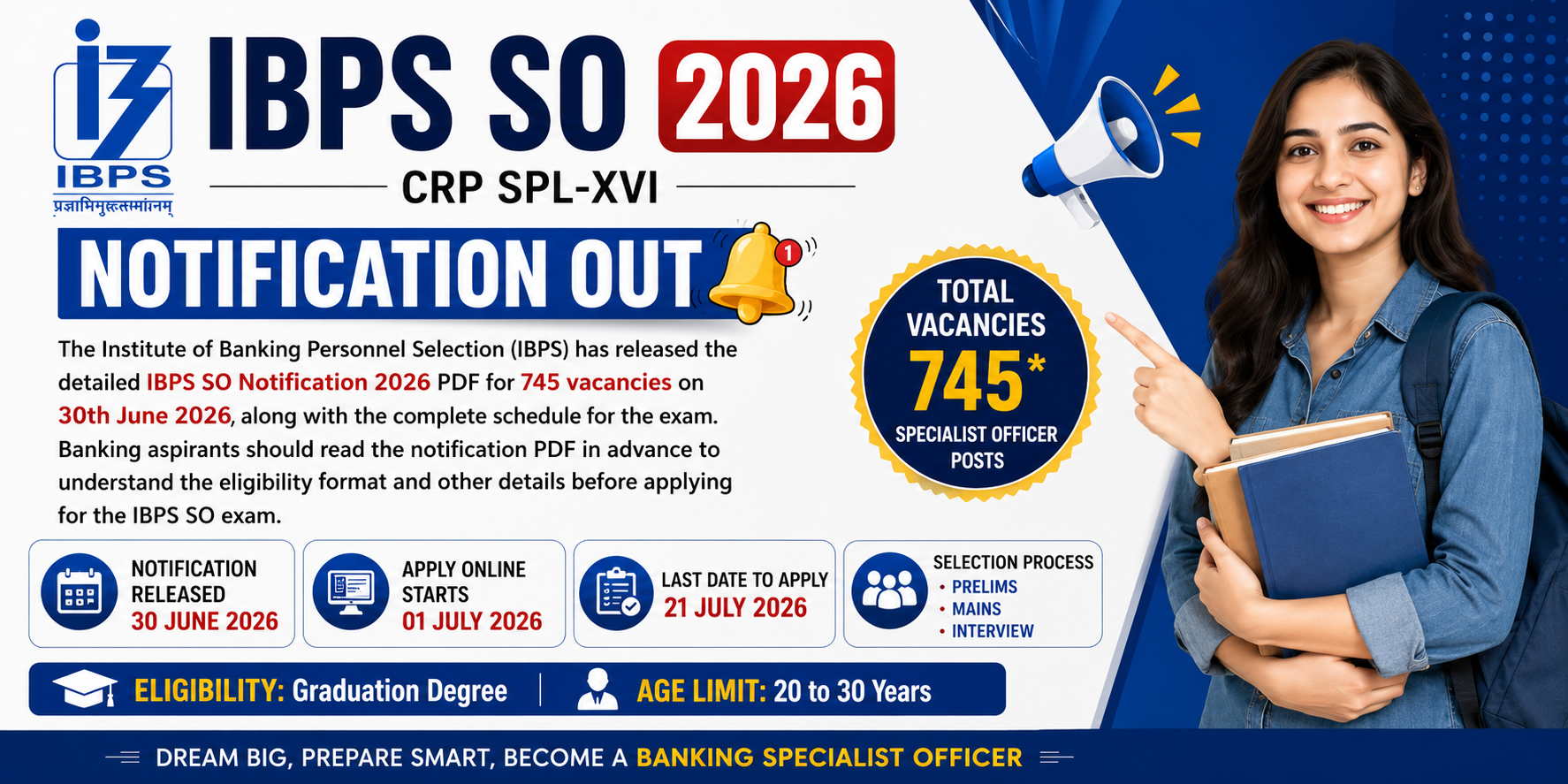
IBPS SO Apply Online 2026 – Registration Process (Official, Verified)
To apply for IBPS SO 2026, candidates must visit IBPS Official Website, click on “CRP Specialist Officers”, complete new registration, upload documents, fill details, pay the fee online, and submit the form. The process is fully online and conducted by Institute of Banking Personnel Selection.
IBPS SO Apply Online 2026 Overview
The IBPS SO 2026 application process is conducted only through online mode on the official IBPS portal. No offline or third-party application is accepted.
Parameter | Details |
|---|---|
Mode of Application | Online Only |
Official Website | |
Application Window | June – July 2026 (Expected) |
Conducting Authority | IBPS |
Important Official Links
- Official Website: https://www.ibps.in/
- IBPS SO Apply Online Page (Active During Notification): https://www.ibps.in/crp-specialist-officers/
- IBPS Registration Portal: https://ibpsreg.ibps.in/
Candidates must apply only through official IBPS links.
IBPS SO Registration Process 2026 (Step-by-Step Method)
Step 1: Visit Official Website
Go to IBPS Official Website
Step 2: Open Apply Online Link
- Click on “CRP Specialist Officers”
- Select “Click Here to Apply Online for CRP-SPL-XVI”
Step 3: New Registration
- Click on “New Registration”
- Enter:
- Name
- Mobile Number
- Email ID
Step 4: Registration Number & Password
- System generates:
- Registration Number
- Password
- Save these for future login
Step 5: Fill Application Form
Enter details carefully:
- Personal Details
- Educational Qualification
- Professional Qualification (Important for SO posts)
- Category Details
Step 6: Upload Documents
Upload scanned copies:
- Photograph
- Signature
- Thumb Impression
- Handwritten Declaration
Step 7: Preview Application
- Check all details carefully
- Errors once submitted may not be editable
Step 8: Pay Application Fee
Payment modes:
- Debit Card
- Credit Card
- Net Banking
- UPI
Fee (based on previous official pattern):
- General/OBC: ₹850
- SC/ST/PwD: ₹175
Step 9: Final Submission
- Submit the form
- Download and print application form
IBPS SO Application Flow
Step | Action |
|---|---|
1 | Visit IBPS website |
2 | Click Apply Online |
3 | Register (New Registration) |
4 | Fill Application Form |
5 | Upload Documents |
6 | Pay Fee |
7 | Submit & Print |
Documents Required for IBPS SO 2026
- Passport-size Photograph
- Signature
- Thumb Impression
- Handwritten Declaration
- Educational Certificates
- ID Proof
Important Instructions (Official Guidelines)
- Application is valid only after successful fee payment
- Incorrect details may lead to rejection at any stage
- Candidates must ensure eligibility before applying
- Multiple applications may lead to cancellation
Common Mistakes to Avoid
- Uploading incorrect image dimensions
- Entering wrong email/mobile number
- Skipping preview before submission
- Waiting till last date (server issues)
- Not saving registration details
IBPS SO Registration Timeline Trend
Year | Start Date | Last Date |
|---|---|---|
2025 | 1 July 2025 | 28 July 2025 |
2024 | July 2024 | August 2024 |
2026 | June–July 2026 (Expected) |
Trend confirms IBPS follows a consistent July application cycle